How To
Sharing, backup, and restore
Your collection lives on your phone and nowhere else. That is the privacy promise, and it comes with a responsibility: moving books between people, and keeping a copy safe, are jobs the app hands to you directly instead of doing behind your back. Here is how each one works.
Send books to another user
Select any set of books and send them to another Too Many Comics user: AirDrop is the quick road between iPhones, and a file exchange or email carries them just as well. They land in the recipient's Inbox with everything you know about them: photos, metadata, condition, the works. One tap adds them to their inventory. If the handoff is a sale, your records show it on your side at the same moment.
The labels come along too. The barcode on each bag names the book, and the buyer's app takes over those barcodes with the transfer: their scanner recognizes the same labels from then on, for their audits and their show table. No peeling, no relabeling, no re-photographing. The import even checks for label collisions, so two collectors' labeling systems can meet without stepping on each other.
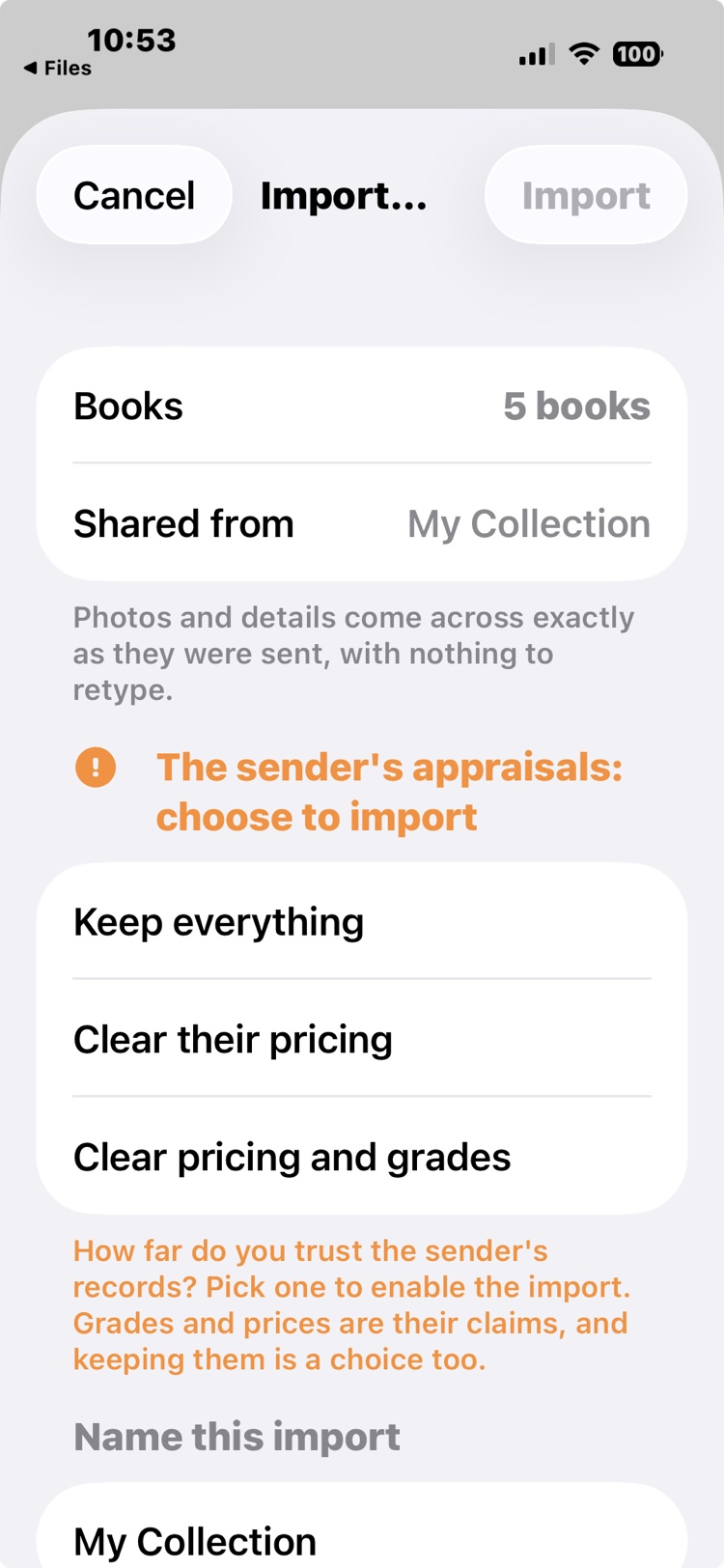
On the receiving side, the import sheet asks one question before anything lands, and it will not proceed until you answer it: how far do you trust the sender's records? A share carries the sender's claims, including grades and prices they may have set themselves, so keeping them is a choice, not a default. Three answers, in rising distrust: Keep everything (their data arrives as recorded, marked as theirs), Clear their pricing (their AI prices go; their grades stay, and it costs nothing: run your own Instant Ballpark whenever you like), or Clear pricing and grades (everything appraisal-shaped goes, and every book with a photo is re-scanned by your own AI, on your credits, with the cost shown before you commit). Whichever you pick, their asking prices survive: that is their offer, and what you negotiate against.
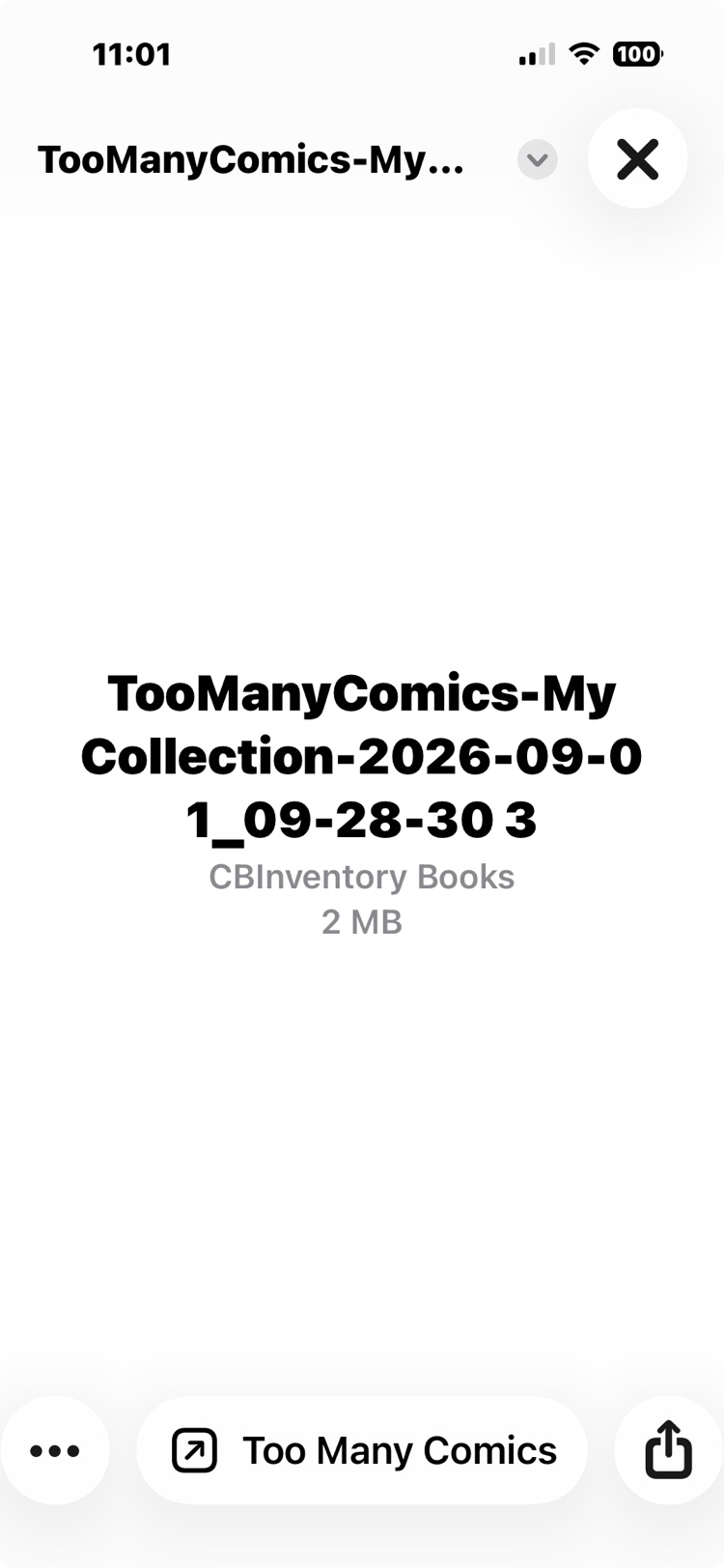
And a word about that one friend. Every circle has him: he scans three hundred books with zero credits left, so nothing gets analyzed, and then he AirDrops you the whole pile, beaming, because sharing is caring. The import sheet has your back. Unanalyzed books arrive behind an Analyze them now toggle that states exactly what the favor would cost in your credits, and when the bill would run to ten credits or more, the toggle starts off: a big spend is something you switch on, never something you tap past. Decline and the books still arrive whole (photos, titles, whatever he did bother to fill in), and when generosity strikes later, Analyze this box on the import's box in your Inbox runs the reads at a moment your credit balance chose.
Share a whole collection
A collection can travel the same way, by AirDrop, a file exchange, or email, and it arrives as its own collection under Friends and Clients: browsable, searchable, cover photos included, and never confused with the recipient's own inventory. Send a refreshed copy later and it updates the one they have rather than creating a second. Nothing syncs on its own: a collection arrives because its owner sent it, every time.
Export, four ways
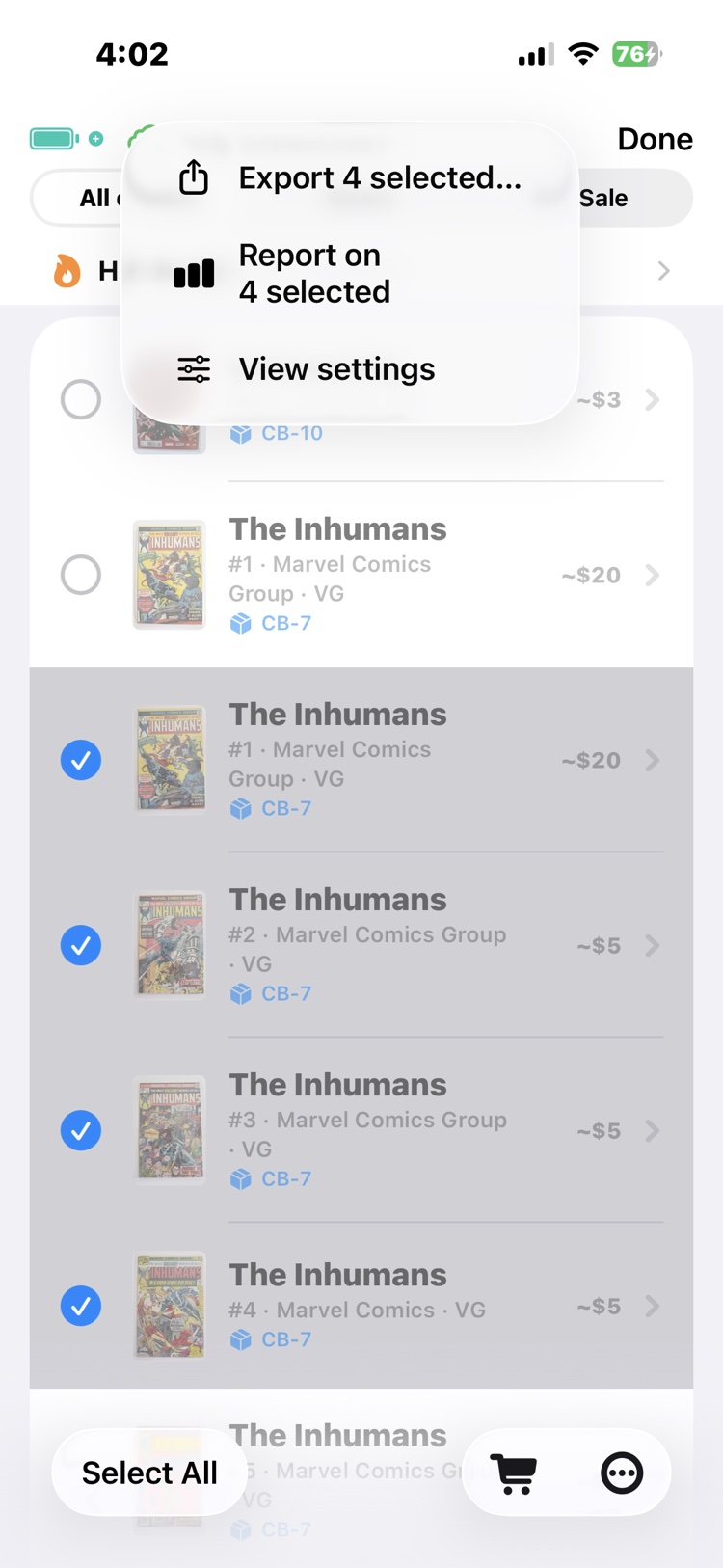
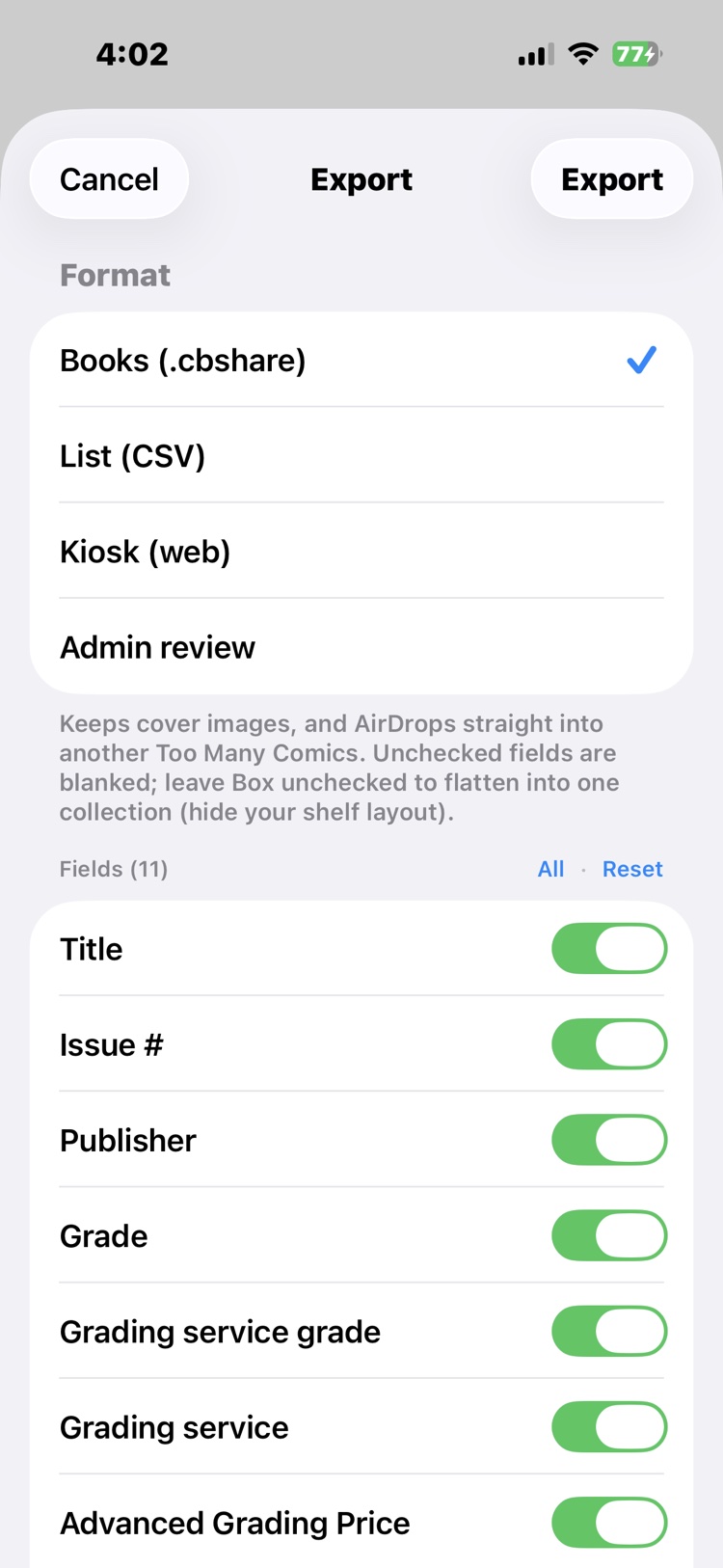
Select books (or open a whole box or collection) and Export is one menu item away. The sheet offers four formats, and each explains itself as you pick:
- Books (.cbshare): the importable one, for another Too Many Comics user. Covers ride along, and it AirDrops straight into their app.
- List (CSV): a plain spreadsheet, for someone without the app, and the format to reach for when you want the data itself: hand it to an AI agent to reshape, or import it into another application.
- Kiosk (web) and Admin review: the browsable storefront and the big-screen review desk, each covered in its own guide.
Below the format sits the field checklist: what you don't check doesn't leave the phone. Unchecked fields are blanked, and leaving Box unchecked flattens the export into one collection, so your shelf layout stays yours.
Back up everything
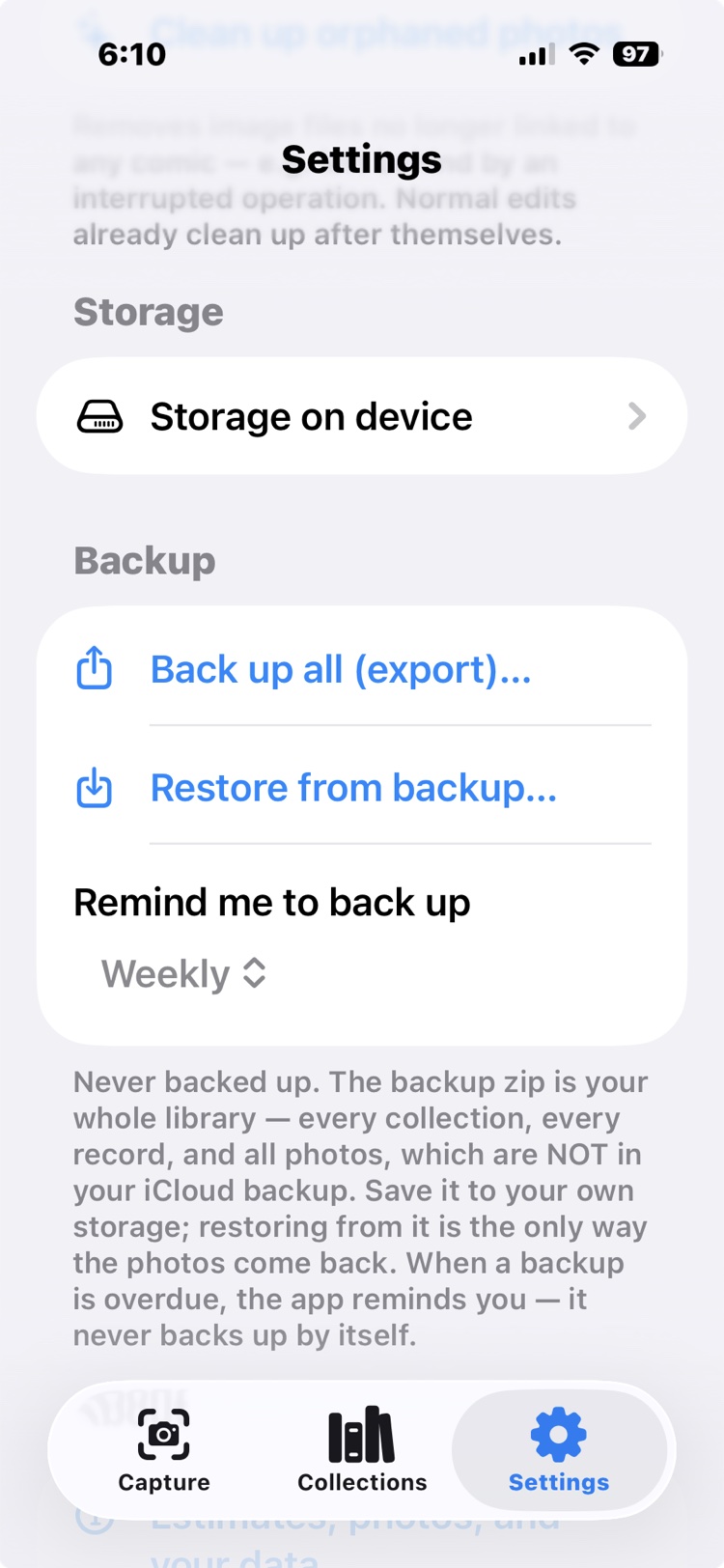
The whole-device backup packs your entire world into one zip: every record, every photo, every box, the sale history, all of it. The app hands you the file and you keep it where you keep files: the Files app, a computer, a cloud you chose yourself. Because nothing is synced to our servers, this backup is the copy that exists outside your phone, so make one on a schedule you'd be comfortable explaining to yourself after losing the phone. And always back up before deleting the app: delete it and the collection is gone, because it only ever lived on your device.
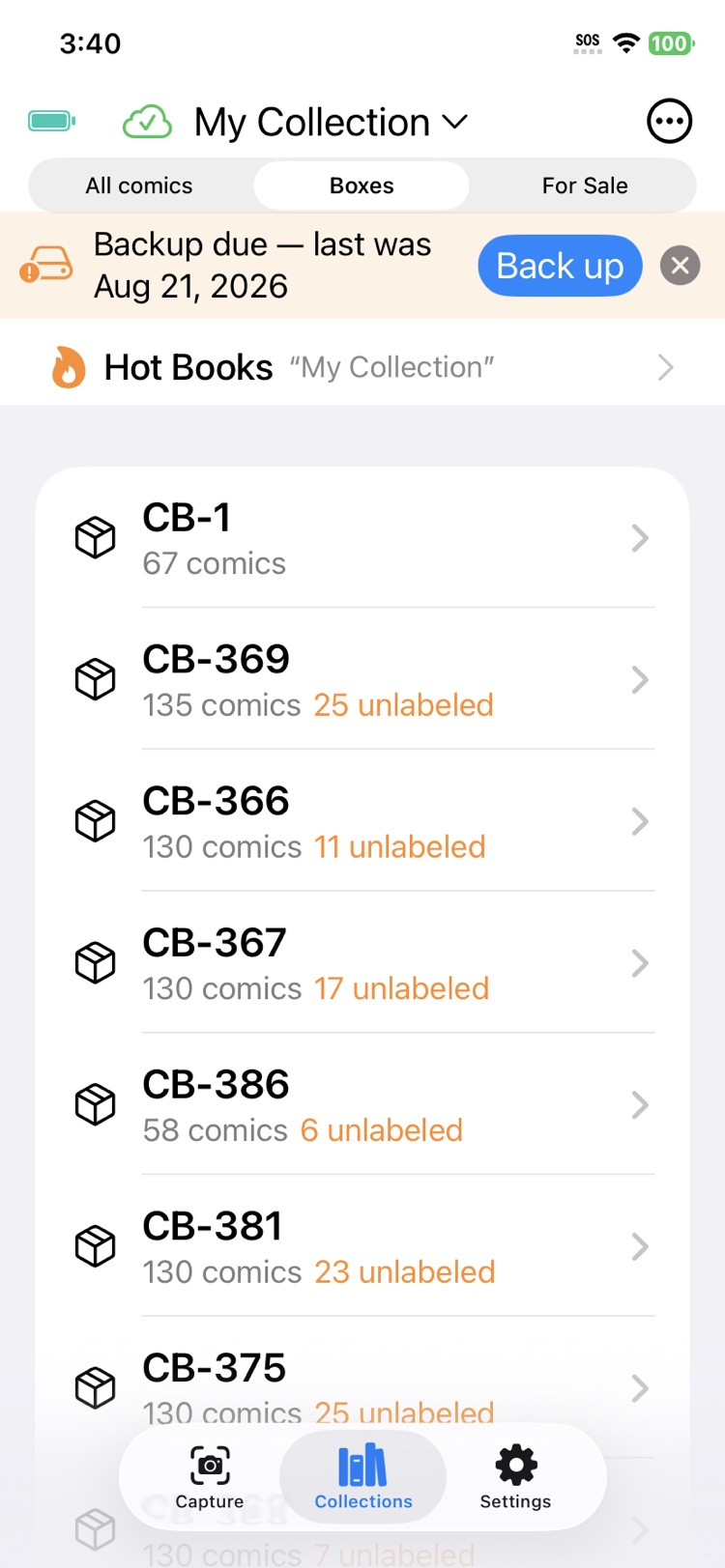
Two things Settings says plainly that are worth repeating here. Your photos are not in your iCloud backup, so the backup zip is the only copy of them that exists off the phone. And the app never backs up by itself, because the file goes only where you choose: instead, set Remind me to back up to the cadence you want, and when a backup is overdue a banner says so right on the Collections screen, with the backup one tap away.
Restore and merge
Restoring is the same door in reverse: import the backup zip and the collection comes back, records and photos and boxes intact. Imports merge rather than blindly pile on: every book and label carries its permanent identity, and the import checks what is already there, so bringing a backup into a phone that has moved on updates the story instead of doubling the books.
See it in real life: a stack changes owners, labels and all, in Dealer to dealer. Shared collections run want lists and consignments in Among friends, and a seller an hour away emails their garage onto a dealer's desk in The phone call.