
How To
Selling and exporting
A collection this size isn't static. When it's time to let some books go, the inventory hands you the listing instead of making you retype what it already knows.
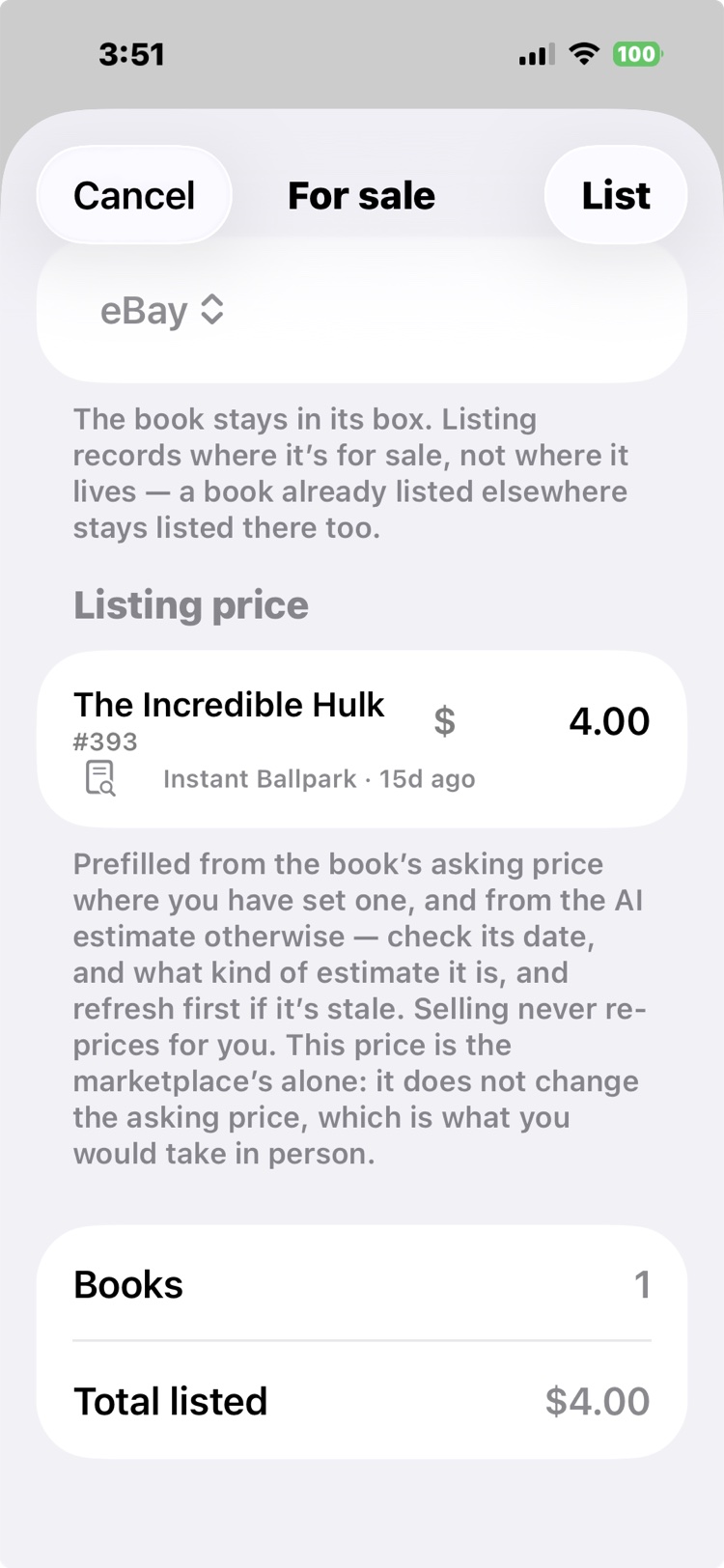
Mark it for sale
Open a book and list it: the For Sale dialog prefills the price from the book's estimate, you pick the marketplace, and the book joins the For Sale tab wearing a listing pill. Listings carry states (pending, live, ending), so exactly which books are listed where is always one glance away. The app also warns you if you try to sell a book somewhere else while a listing is still up: a book live at auction can't quietly go back in a box and get sold twice.
The auction pack
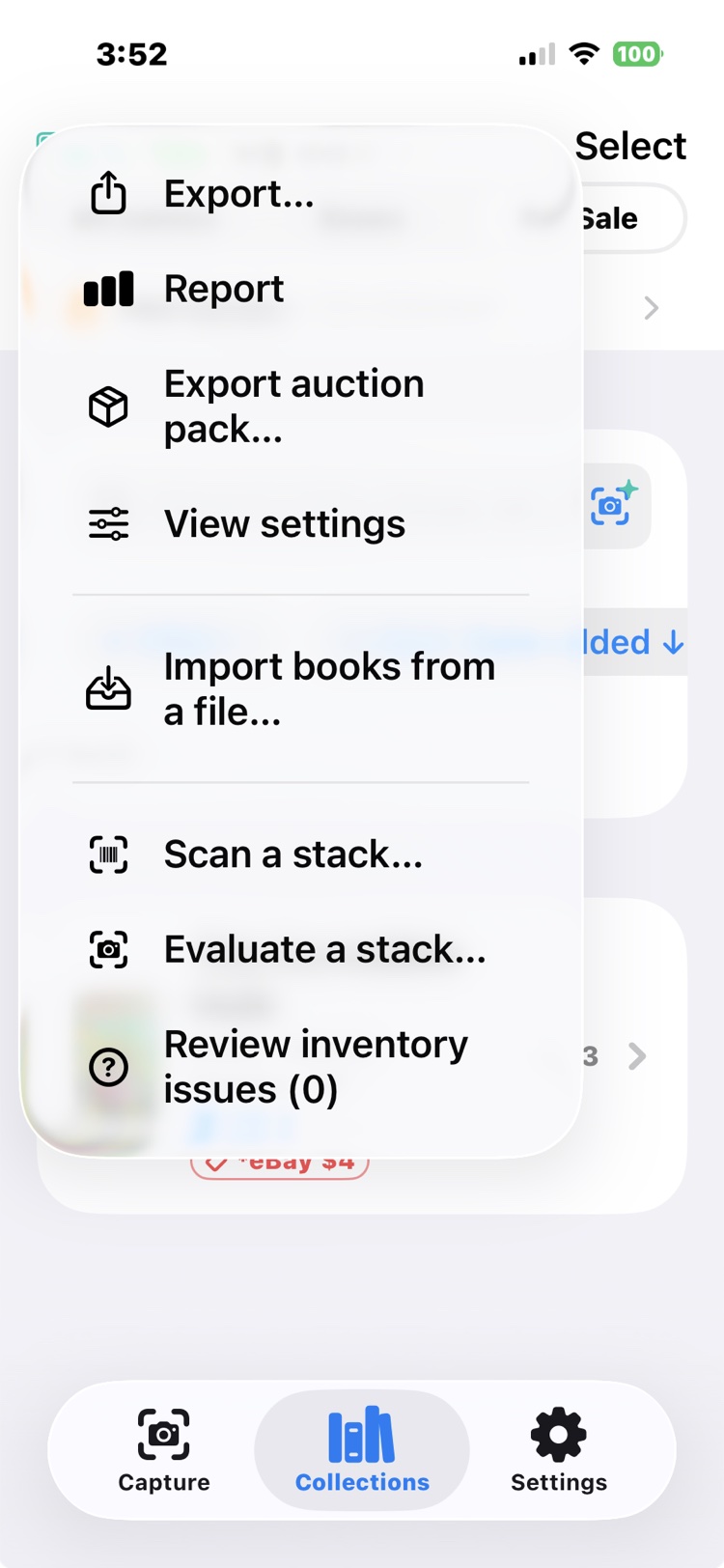
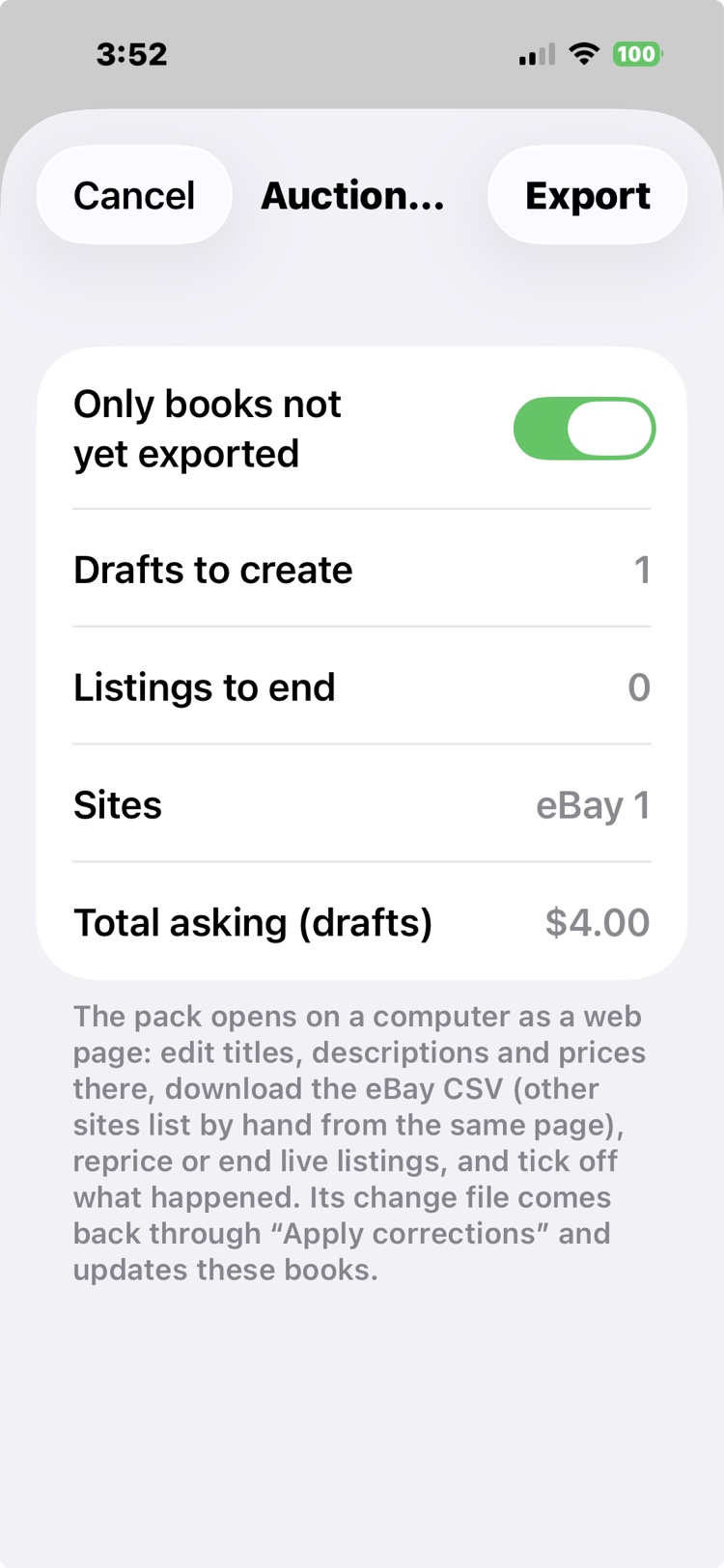
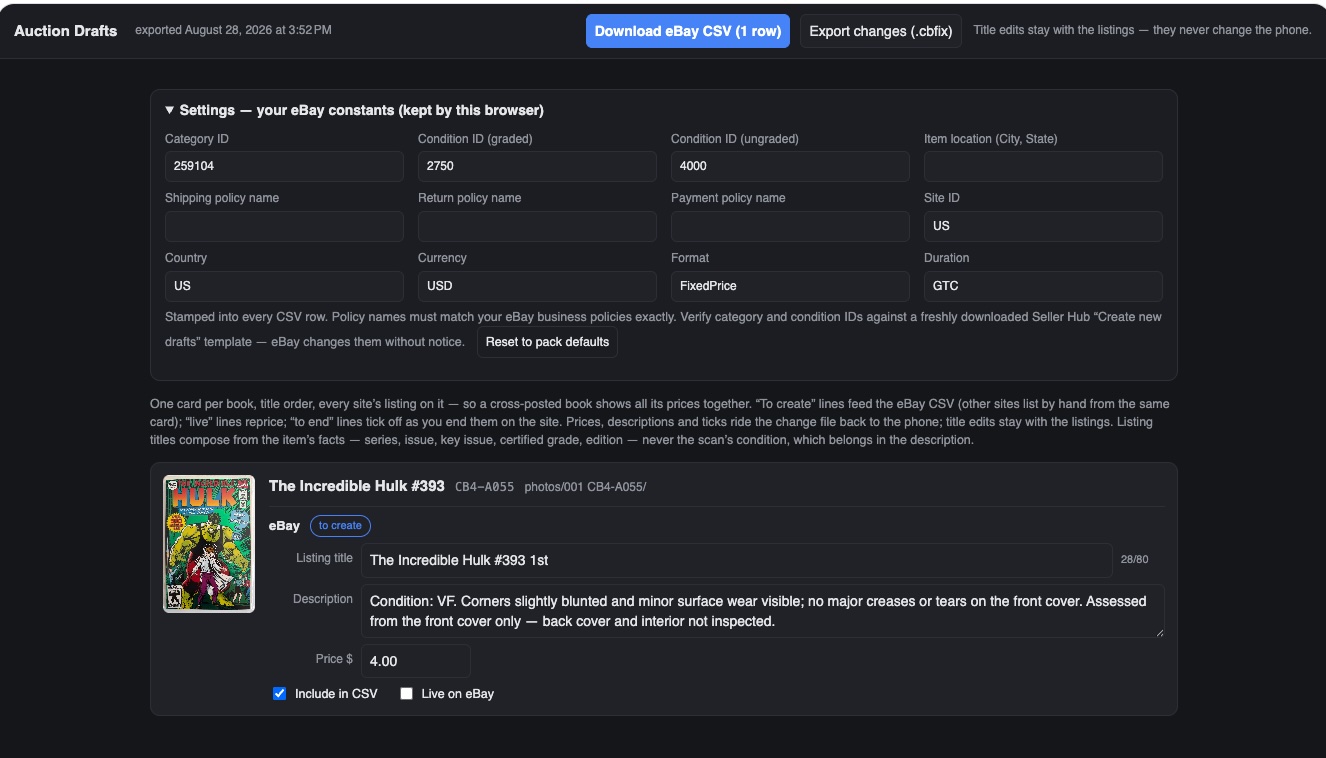
Listing on eBay used to mean an evening of retyping, once per book. Instead, export an auction pack from the For Sale tab's menu and move it to your computer: AirDrop, a file exchange, or email, whatever you find easiest. It opens as a self-contained listing workbench in any browser, no install and no internet: every book with its photos right there, asking prices to assign, and honest condition descriptions already drafted from the grading. When you are done it generates the eBay upload CSV, with the photo folders numbered to match, ready to drag into each listing. The pack exports your changes back, and one tap syncs them into inventory, so the phone and the listings never drift apart.
Sold books and the P&L
Recording a sale is one tap, wherever the sale happens: at a show off a Scan a Stack total, or from the book's own record. Take a lump-sum offer for a stack and the amount is spread across the books, so your records match the cash in your pocket. Every sold book keeps its story: what you paid, what it sold for, and when, which is what makes the profit and loss real instead of a feeling. Books you sell on consignment total separately from your own, so their numbers never flatter yours.
Everything exports
The eBay CSV is one export among several: your records can leave the app as CSV for a spreadsheet whenever you want them there. Your data is yours; the app's job is to hand it over in whatever shape the next tool needs.
See it in real life: the auction pack earns its keep in The listing desk. A stack sells in one scan in The stack and the offer, a whole booth runs off the inventory in The convention table, and the books come home to the truth in After the show.