
How To
The Browser Kiosk
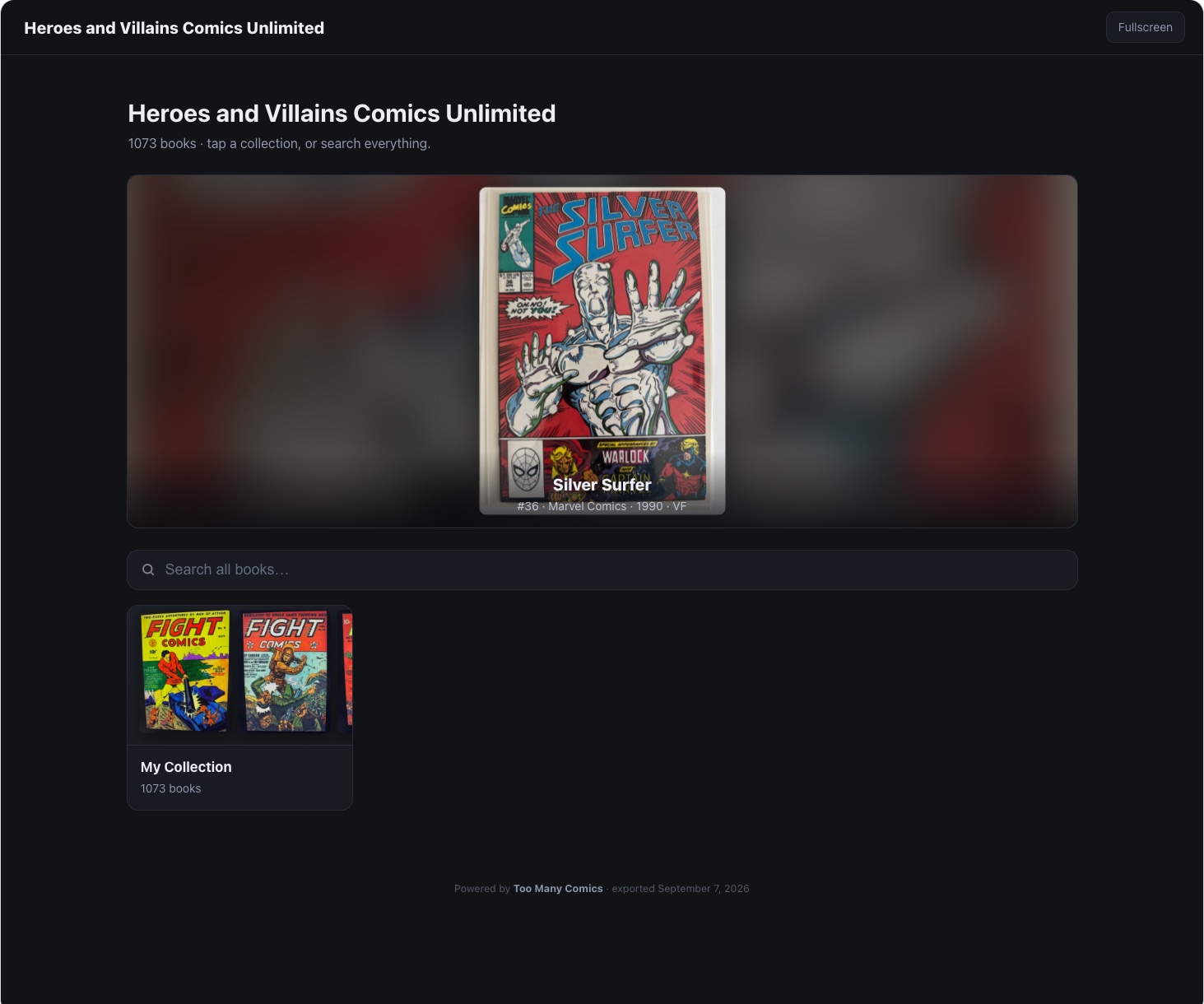
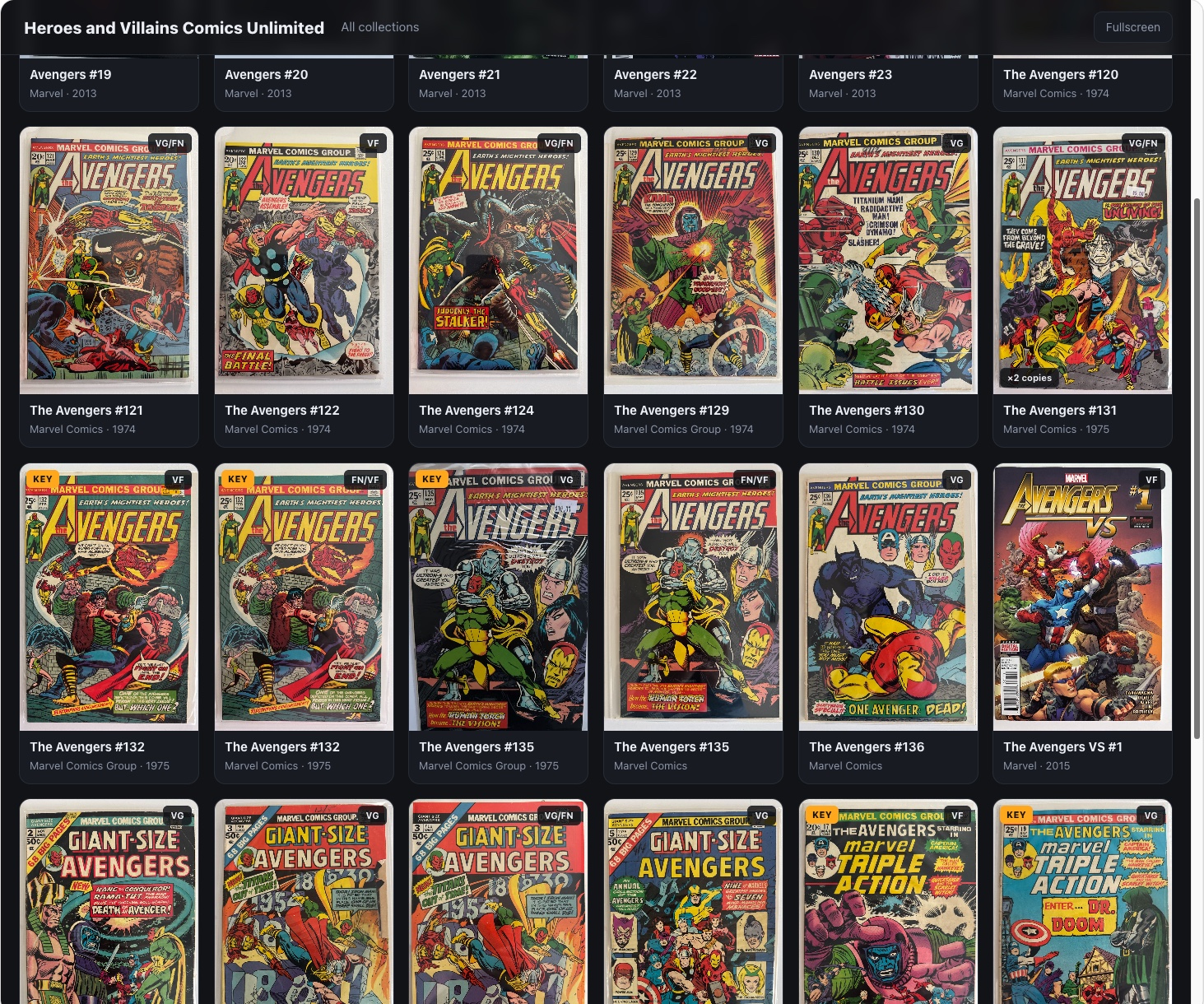
Some exports are for working. This one is for showing. Export Browser Kiosk builds a searchable, browsable page of your collection: every cover big, search by title, issue, publisher, or creator. At a show it is a portable comic book store: put it on a laptop or a big touchscreen and buyers browse your stock without a single bag leaving its box. At home it is something simpler and just as good: your collection on the big monitor, searchable and admirable, for the evenings when you just want to look at what you own. The kiosk runs from static files with no internet at all, which is exactly what a convention hall's Wi-Fi calls for.
A snapshot, on purpose
The kiosk changes nothing and asks nothing. It is exactly as current as the moment you exported it, refreshed by dropping in a new export, and that is a feature: a browsing customer cannot edit your records, and a dead network cannot take your booth down. Every card carries its copy's label QR, so a book on the kiosk screen can be scanned with the phone, where the live inventory answers whether that copy is still here. The export is free, like every export: it never spends credits.
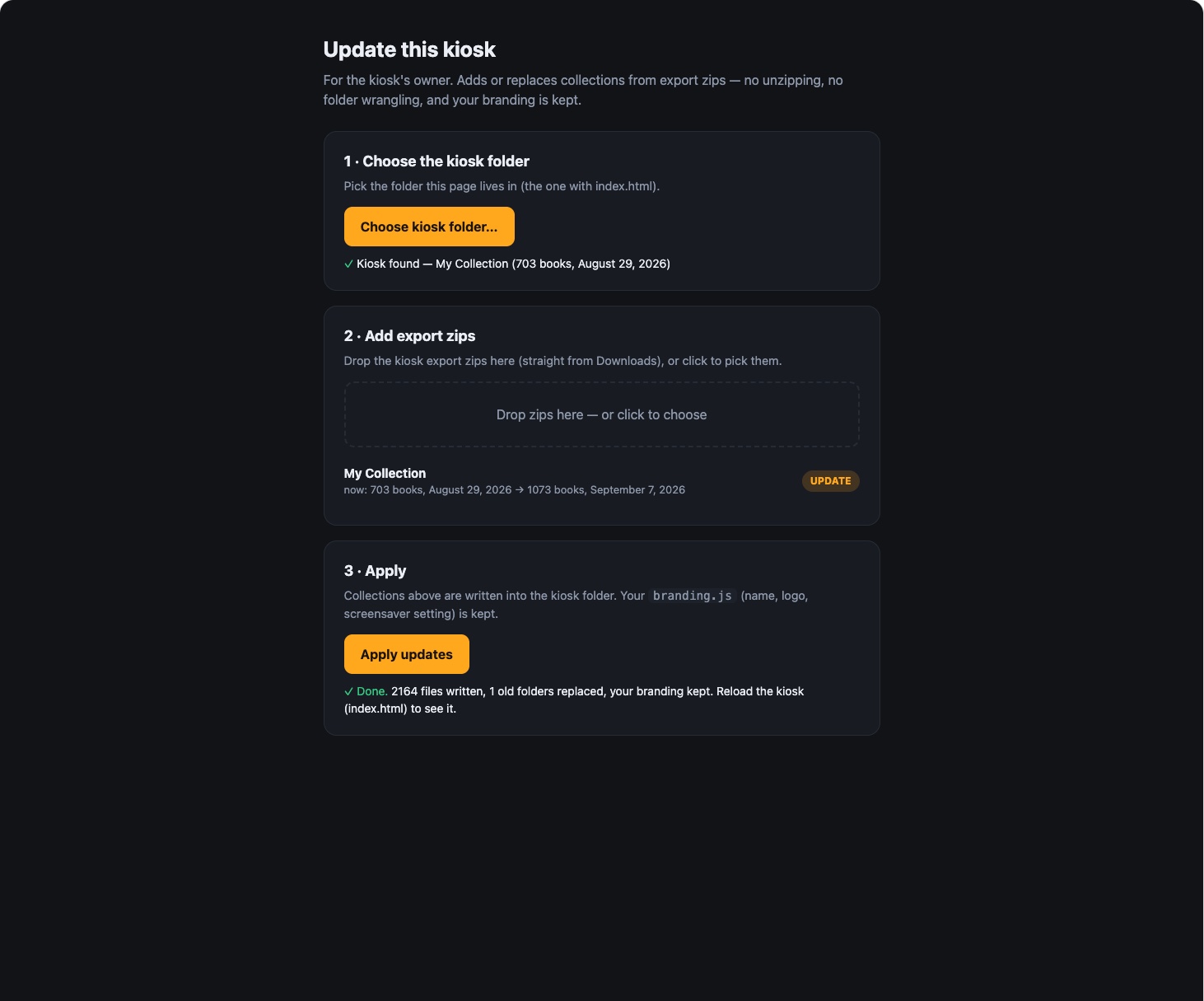
Refreshing it is a page inside the kiosk folder, not a rebuild. Open update.html, point it at the kiosk folder, drop in the new export zips straight from Downloads, and apply. It writes the collections into place, replaces the old ones, and keeps your branding (name, logo, screensaver setting) exactly as you set it. No unzipping, no folder wrangling.
See it in real life: the kiosk runs a booth all weekend, answers a buyer's question, and survives a sold book in The convention table. The working half of the big-screen story, the Admin Review, has its own guide.