
How To
Barcoding your books
Every book in your inventory already has a barcode. The app assigns one automatically the moment a book is recorded, so there is no numbering scheme to invent and nothing to keep in your head. Printing the labels and affixing them to the bags is the whole job, and once the books wear them, the collection stops being boxes you dig through and becomes something you can scan.
Print the labels
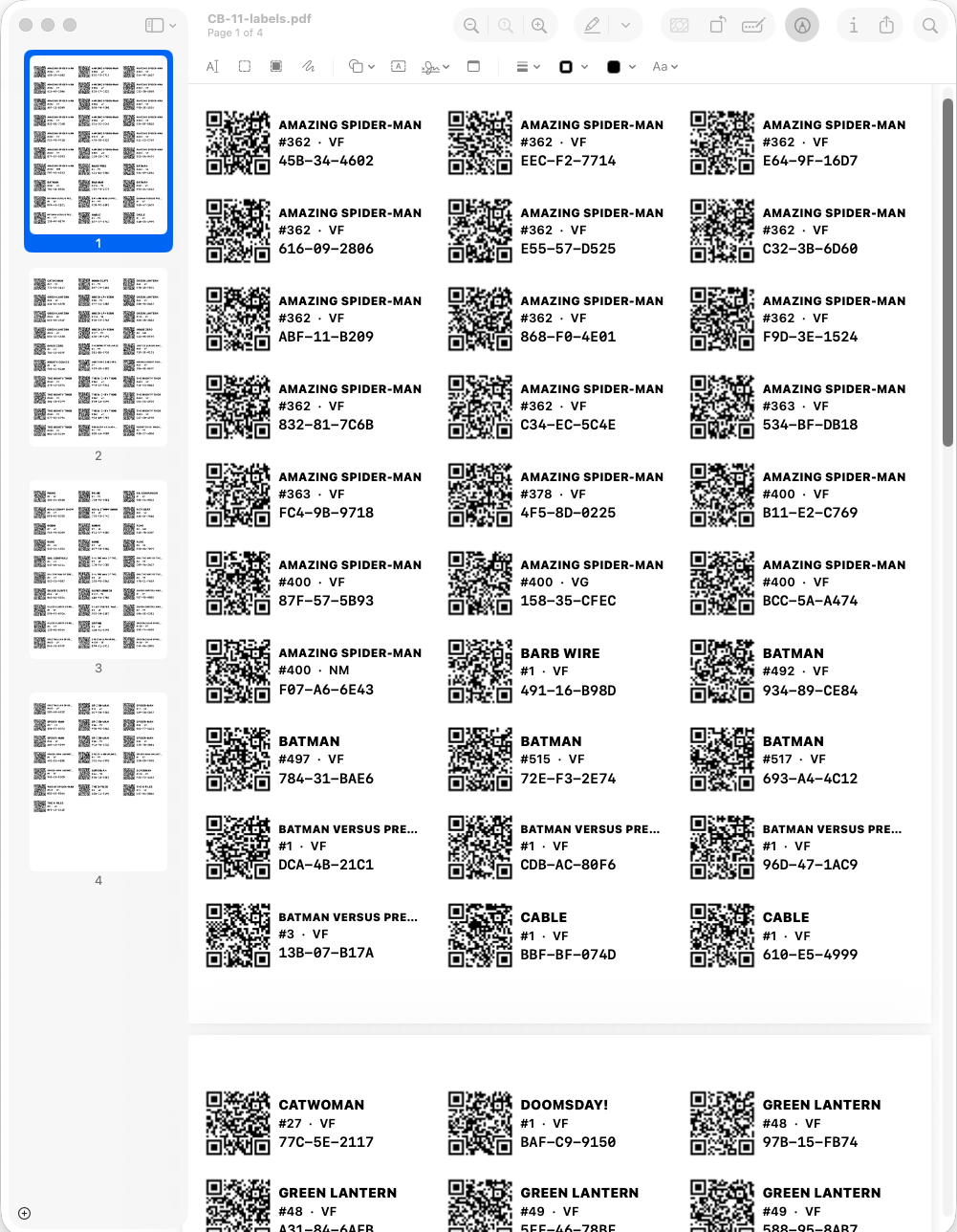
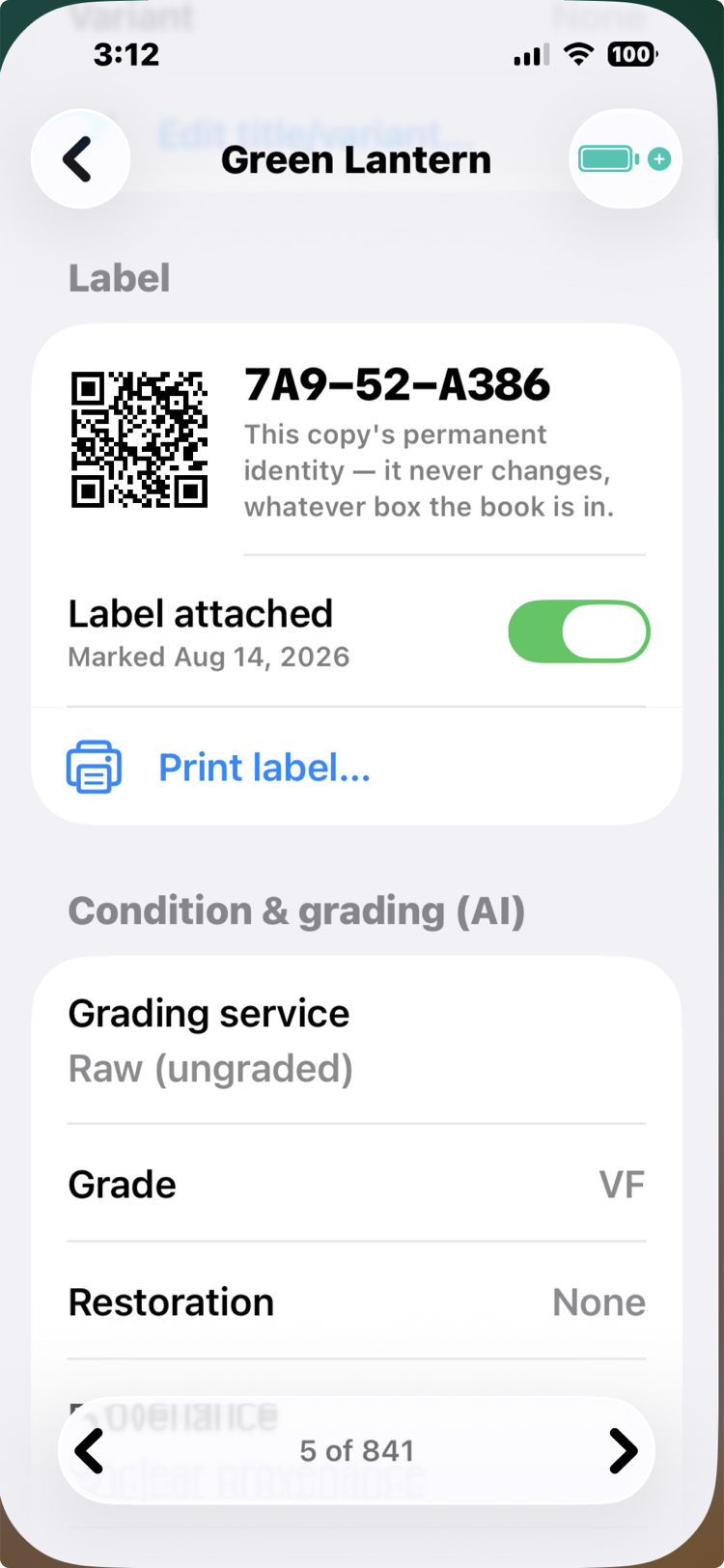
The app generates label sheets as a PDF for standard Avery stock, so you can print anywhere. Each label carries a QR code naming that exact copy (not the title, the copy: your Very Fine and your reading copy get different labels). Stick the label on the bag, never the book. The labels deliberately carry no price, because prices live in the app, where a re-price updates every book at once instead of costing you an evening of re-stickering.
The flow lives where the books live: open a box, and its menu has Print box labels…. The sheet asks three questions. Which Avery stock (5160 runs thirty to a sheet). What order: alphabetical is lookup order, for labeling long after capture (pull any book, find its label on the sheet, stick), while Order scanned is for labeling right after a scanning session. Scan the books and drop each one into the front of the box as you go, so the last book scanned is the front book. Then turn the box around: you are now facing the back of the first book scanned, and the sheet prints in that same order, so you peel and stick your way through the box with no looking anything up at all. And where to start, so a sheet with its first row already peeled gets used up instead of thrown away. It also gives the two pieces of advice that matter: use permanent label stock, because a removable sticker is a swappable sticker and at a show that is a theft vector; and stick to the back of the bag, top corner, so the art stays visible and an audit can read a whole box from behind without pulling a single book.
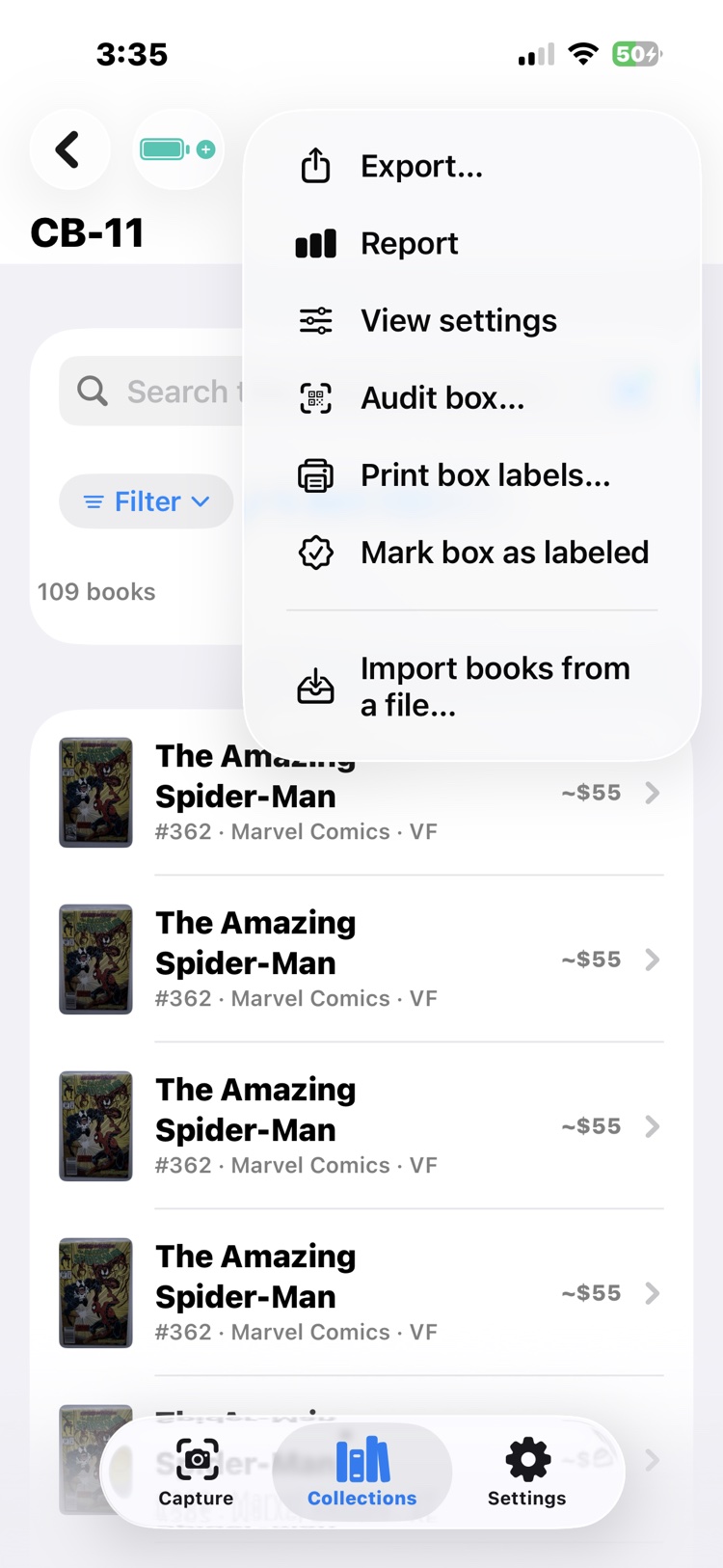
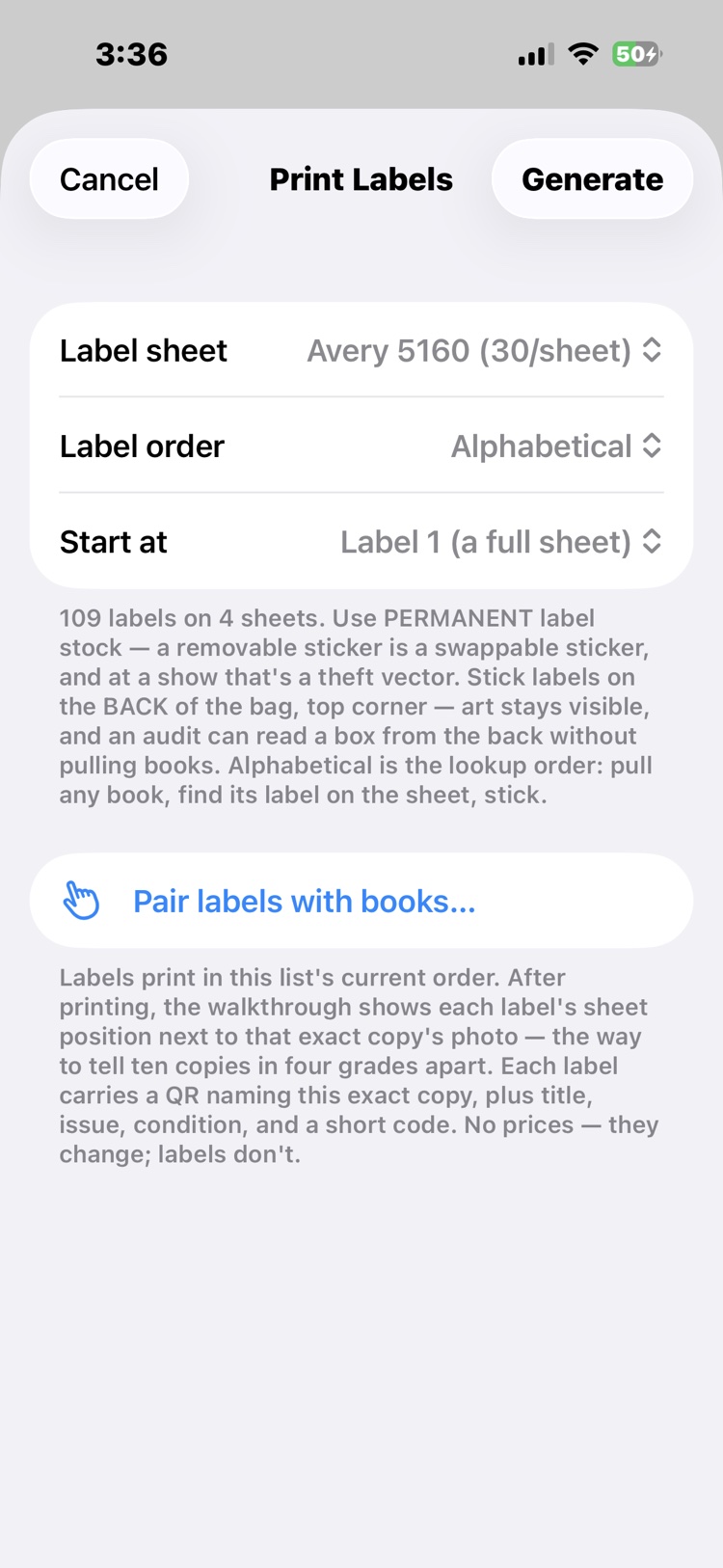
Generate hands you a PDF sized to the stock: AirDrop it to the computer and print. For the box this article follows, 109 labels came out on four sheets. Back on the phone, Pair labels with books walks the sheet in print order, showing each label's position beside that exact copy's photo, which is how ten copies in four different grades all get the right stickers. When the box is done, Mark box as labeled records it.
Scan a Stack
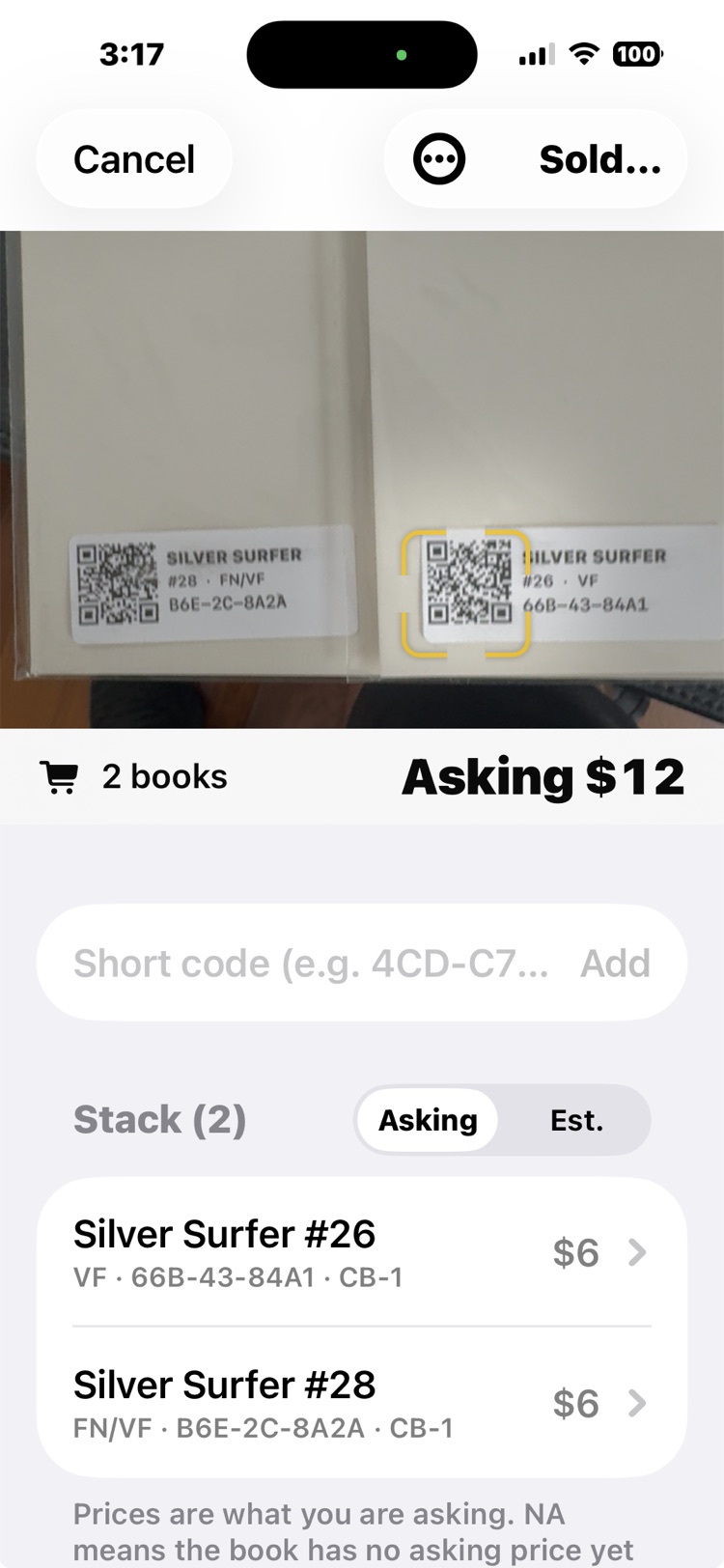
Labels are what power Scan a Stack. Point the scanner at a pile of barcoded books and it reads them in seconds, tells you exactly which books they are and where they belong, and totals what the stack is worth. A customer's “what for these?” at a show, a pile that surfaced far from its box, a stack you are about to hand a friend: one sweep of the camera names them all. And it costs no credits, ever. A label scan is your own phone reading your own inventory, a local answer, always free.
Re-boxing without the ceremony
Labels also take the pain out of moving books. Select any set of books, by search or by scanning their barcodes, and change their box location in one move. Shuffling a long box into new homes becomes a scan and a tap, not an afternoon of editing records one at a time. The same labels drive Audit Box when it is time to check a box against the record; the accuracy guide covers that half.
See it in real life: a stack totals itself before the customer finishes the sentence in The stack and the offer, a label gets scanned straight off the kiosk screen in The convention table, and the same codes put the boxes back to truth in After the show.